Welcome to Lunar Recap! For the month of September, the team has worked on a ton of updates, such as several of our mods receiving quite a few new features, our SkyBlock Mod receiving some new options for Dungeons Players, an exciting new feature to our Rewind system, and a ton more. So without further ado, let’s jump right into it.
Check out this month’s Lunar Client Recap video below!
Mission Control Notes
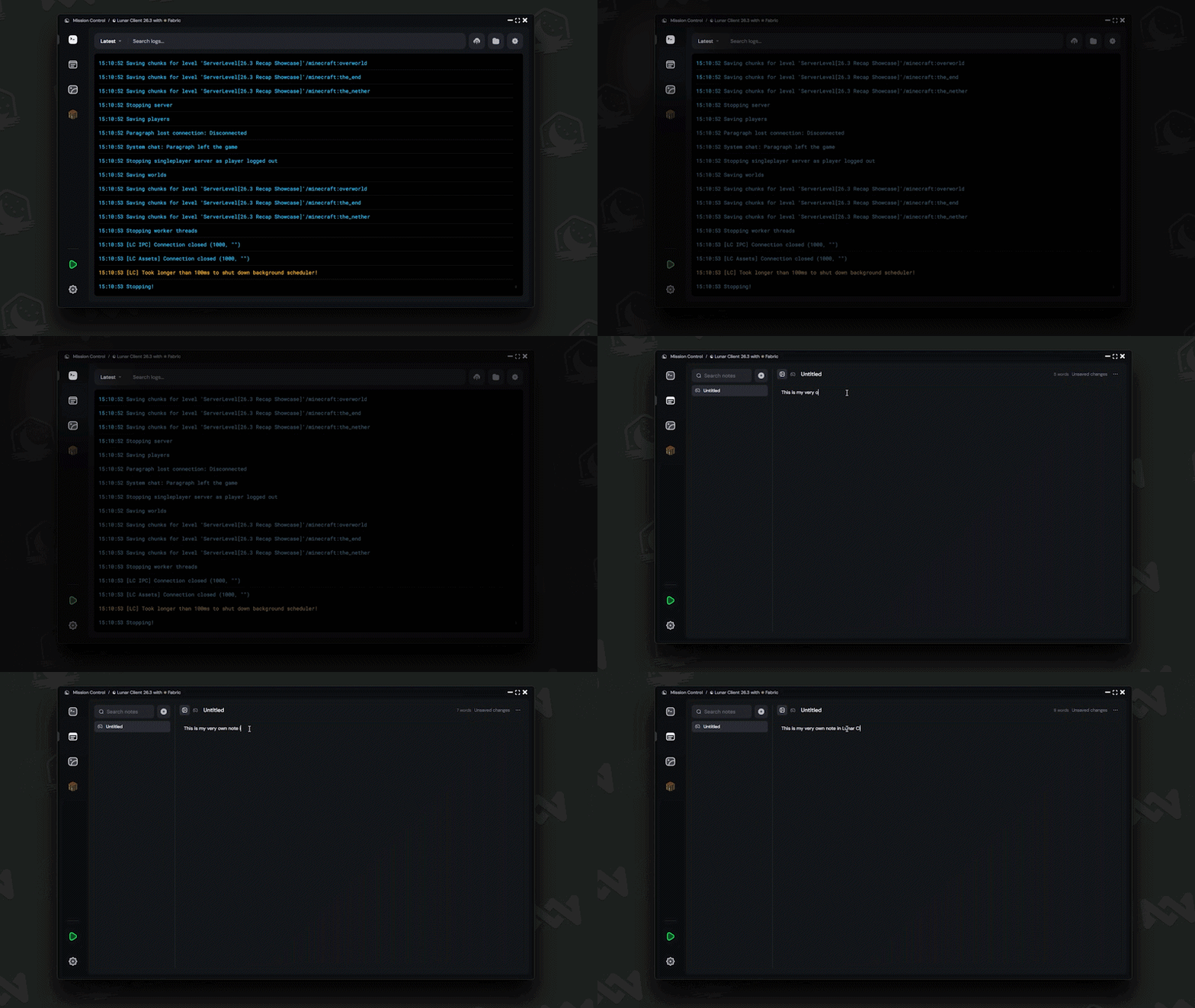
On our Mission Control window, you’ll see this brand new Notes Tab in the sidebar, allowing you to create fully custom notes for whichever instance of the game you have open. This is super useful if you need to quickly jot down something like coordinates, needed materials, or just about anything else you wanna be able to reference while you have a specific version of the game open. There’s also several different options for the note itself, like renaming it, locking it, or moving it to a different instance and even allowing it to be a global note, which will show up no matter what profile you’re playing on.
Forge Mod Loading
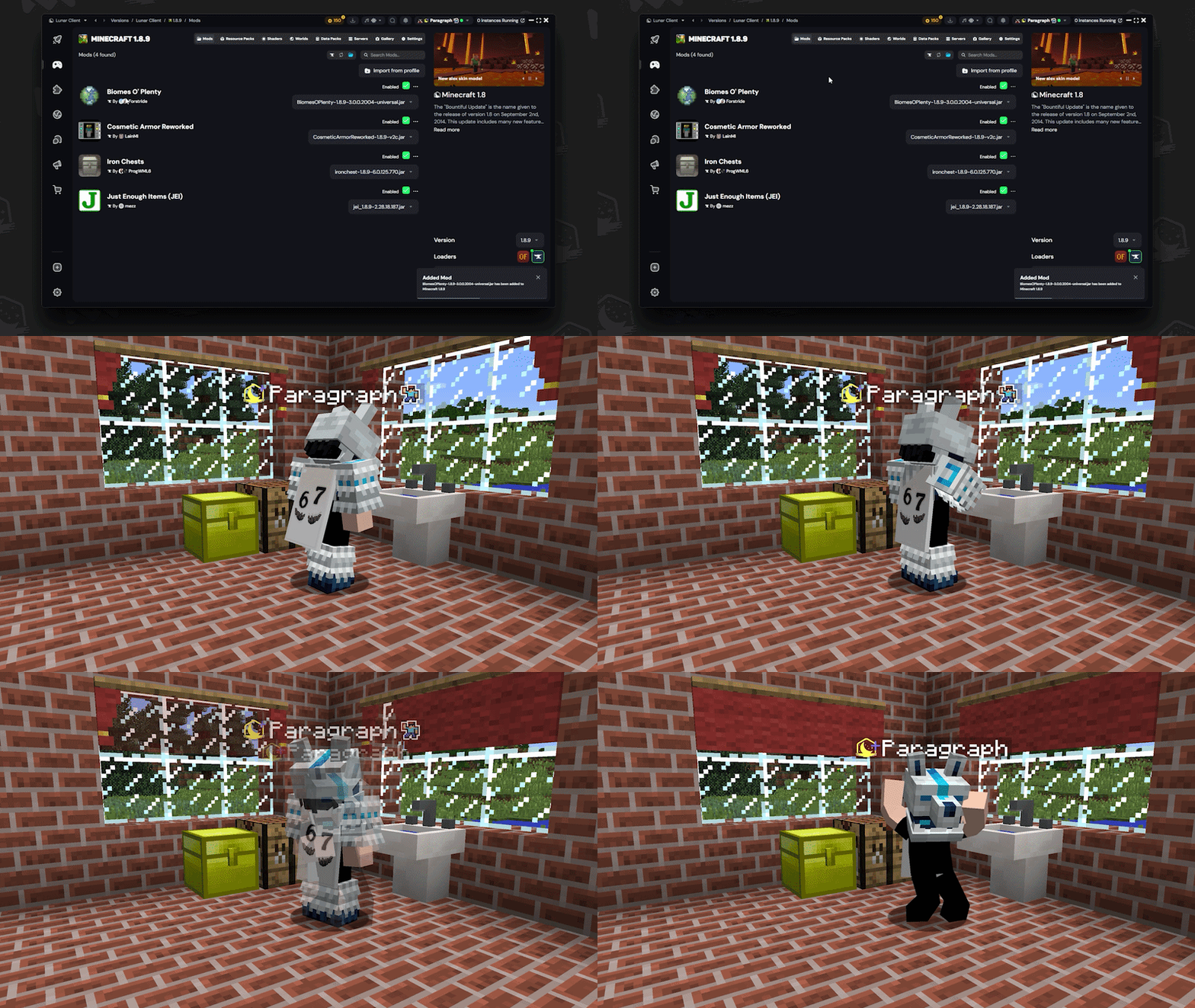
One of our most anticipated features for some of our veteran players is finally making its way onto Lunar Client. On versions 1.8.9, and 1.12.2, you can finally launch custom Forge mods while using Lunar Client. Previously, we only allowed players to use Forge mods whenever they weren’t using Lunar’s built-in features, and treated those instances of the game completely separate from traditional Lunar.
Now though, you can use your favorite Forge mods alongside Lunar Client by simply heading into the settings of either 1.8.9 or 1.12.2, clicking the gear icon next to the launch button in the bottom right, and dragging and dropping whatever mods you’d like to use into this menu. We’re super excited to see what mods you all start playing with on Lunar Client, as this is our next step in making the Minecraft mod-loading experience as seamless as possible.
26.3 Release
And to close out our slim Launcher segment, Minecraft 26.3 released earlier this month, featuring tons of new blocks, structures, and features. And we’re proud that we were able to provide day one support as soon as this update was released, so that you could start using it with Lunar Client right away.
Client Mod Updates
Now, let’s head into our in-game updates for this month, starting off with our Potion Effects Mod.
Effect Duration Bars
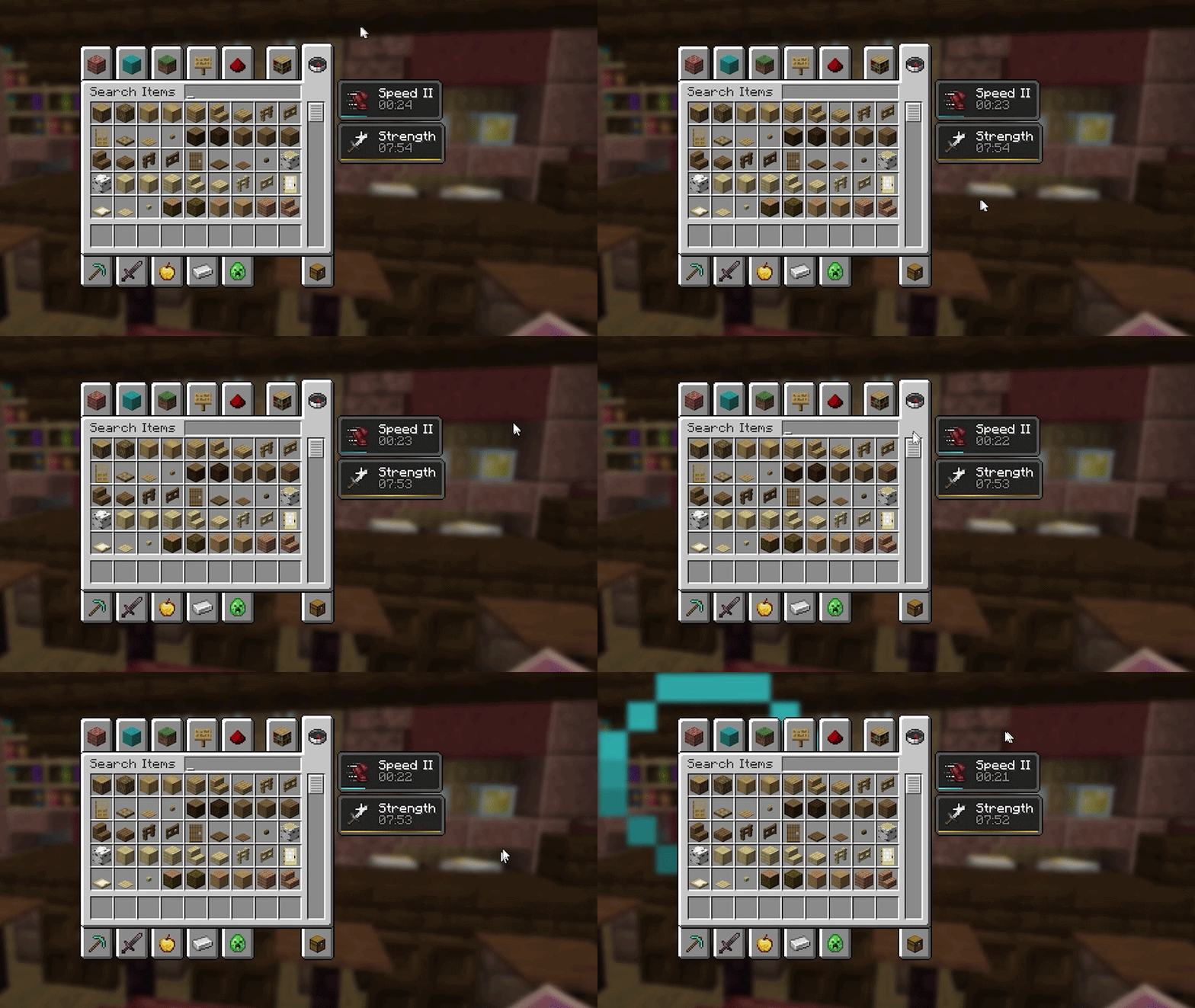
You’ll be able to toggle a brand new duration bar, which appears in your inventory while you have an active potion effect, and gives you a better visual for exactly how long you have left on your potion. This can also be customized to be displayed on Lunar’s custom Potion Effects HUD, plus several other options like the potion of the bar, as well as some stylization options.
Hands Option + Item Groups
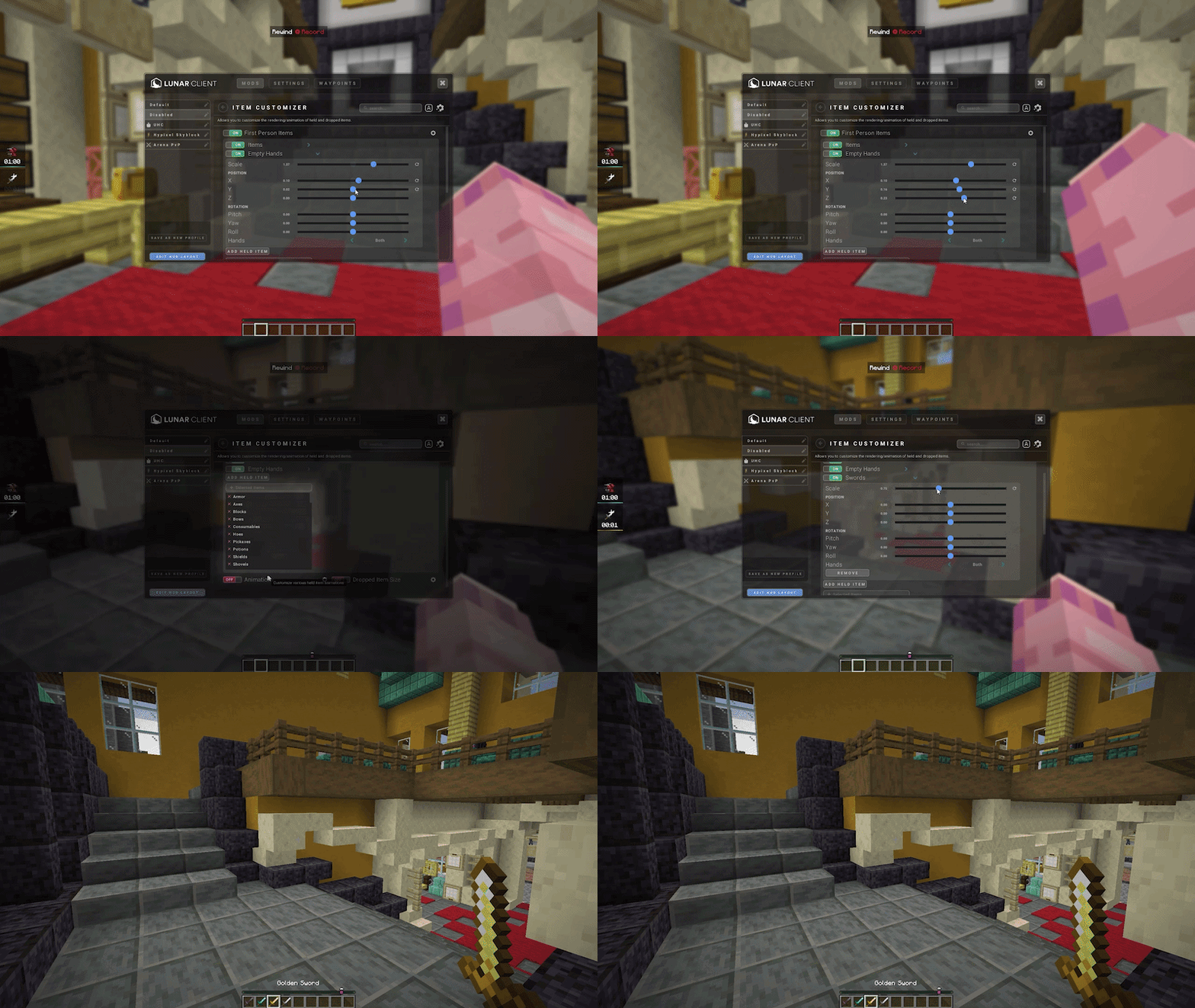
Our Item Customizer mod received two new features which are pretty neat. First, you can now customize the display of both your hands in-game, while you aren’t holding an item. This includes all of the standard offset sliders that you’re used to, so you can get pretty crazy with how you position your hand, or if you just want a more subtle display, you can do that as well.
Then, we’ve made it easier to customize the display of certain types of items, with the addition of item groups at the top of the selection list. Just add the type of items that you’d like to customize, and those changes will affect all of the items that fall into that category.
Fishing Bobber Overlay
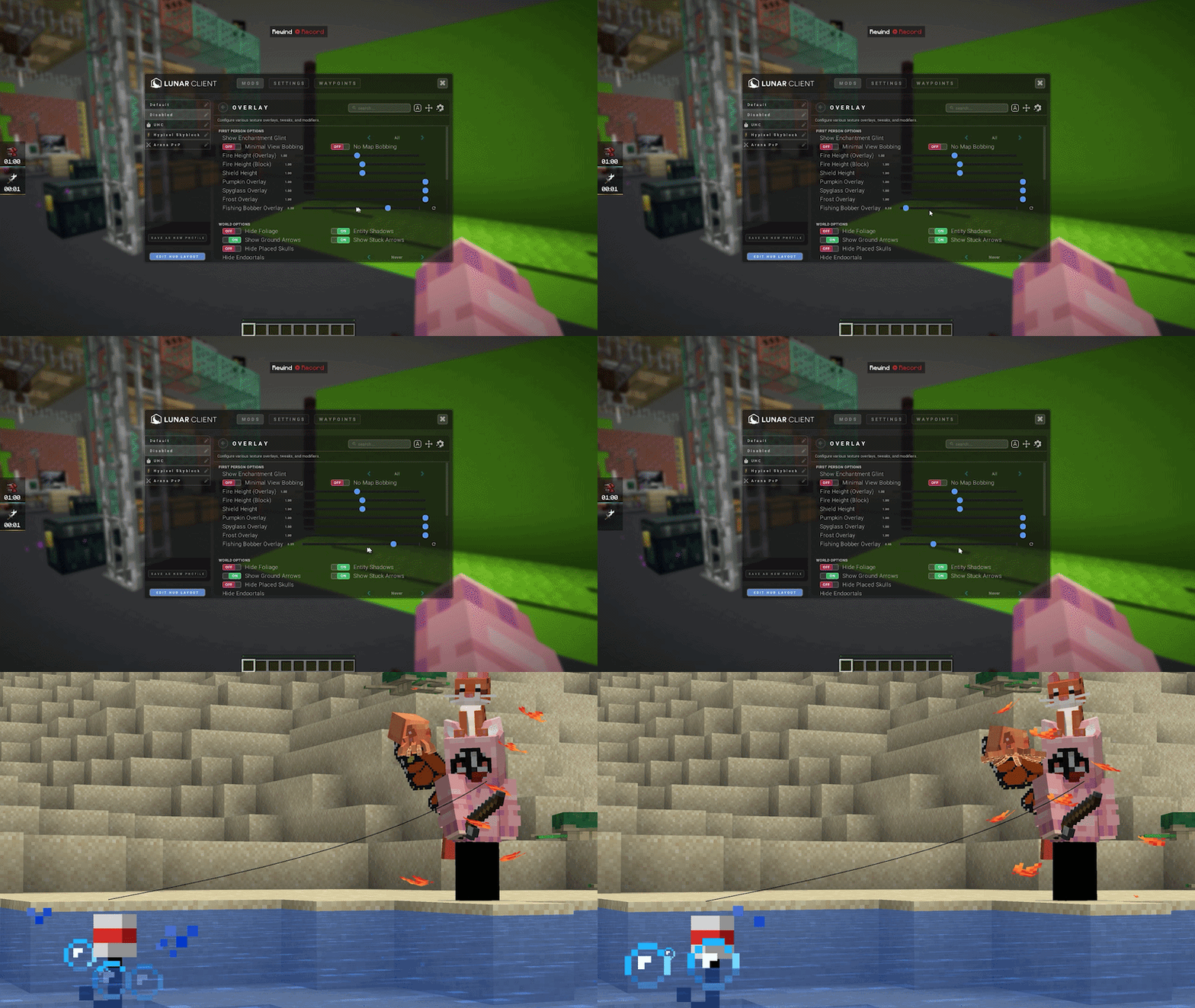
Our Overlay mod just received quite a few features. Inside of the mod, you’ll now be able to change the opacity of Fishing Bobbers whenever they are cast, all the way from fully visible to fully invisible, just so that they won’t get in the way of your fishing grind as much.
Then, our Custom GUI Colors option which we released last month received a few changes, now letting you customize the color of Menu Buttons, and Menu Text to any color of your choosing. This is great if you want to add some personality to your game, without having to dig into a resource pack and manually change every GUI on their own.
Hotbar Key Overlay
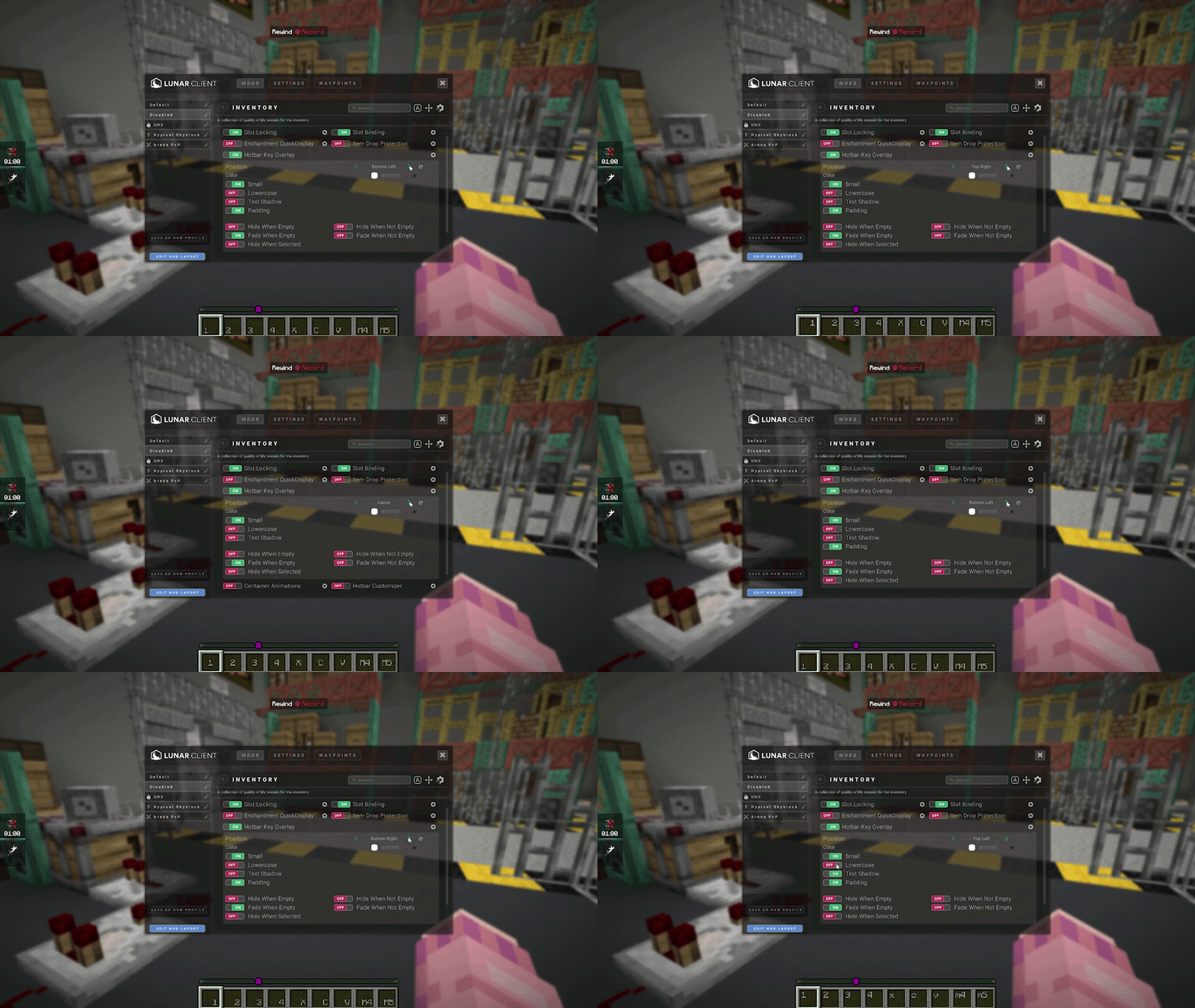
Our Inventory mod received a new Hotbar Key Overlay. This is a nice quality of life feature, which sometimes appears in texture packs and will display the key associated with each hotbar slot. A big difference between our feature and adding this with a texture pack, is that the feature will display your actual keybinds, as opposed to opting to the standard 1 through 9 keys. On top of that, you can fully customize how these show up, such as when and where they should be shown on your hotbar, plus some stylization options like text shadows, lowercase text, and padding.
Spear Phase Indicator
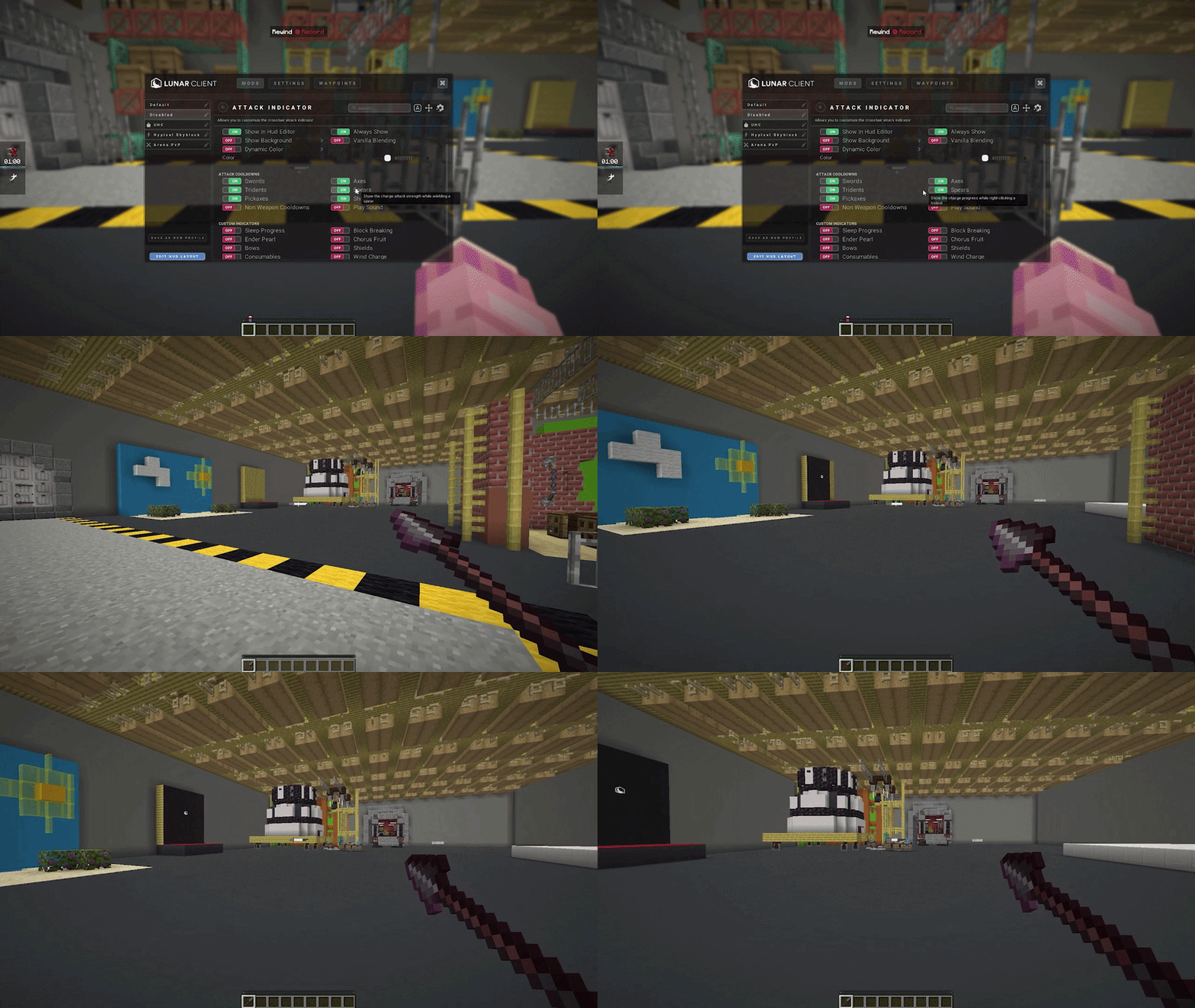
Then inside of our Attack Indicator Mod, there’s now the option to display the charge strength of spears while you’re holding the right click attack, which will deplete in your attack indicator as the strength of your spear drops.
Skyblock Updates
With the 0.27.1 patch in SkyBlock, the Chocolate Factory saw a few improvements such as Rabbit Factions, Chocobits, and some balancing changes. So, we’re happy that we were able to support this update just a few days after it was released. Additionally, our SkyBlock HUDs received a better system for previews in the HUD editor.
Dungeon Notifications
Then for our Dungeons players, our notifications saw a few new additions with the release of room clear, secrets done, and kill blood alerts. Each of these can be fully customized to play any sound of your liking. Whether that be from the full list of vanilla sounds, or your very own custom sounds.
Dungeon Waypoints
And on top of these, our Custom Waypoints feature received a massive overhaul. This includes a dedicated edit mode, per-room storage, presets for commonly used waypoints, easy sharing of waypoints, and more! While we can’t cover absolutely every feature that released with this overhaul in this month’s recap, we’ll go over it in its entirety in our SkyBlock Mod Refresh Video, in the near future. Until then, just hop in game and try out the waypoints to setup lineups or indicators for anything of your liking.
Hide Flying Wood & Leaves
To close out our SkyBlock Updates for this month, we’ve added an option to disable the flying logs and leaves that’ll appear on the foraging islands to help de-clutter your screen just a bit. Just head into our SkyBlock Mod, search for Hide Foraging Debris, and toggle it on to get a much cleaner foraging experience.
Additional Client Updates
Color Option including Inverse Mode
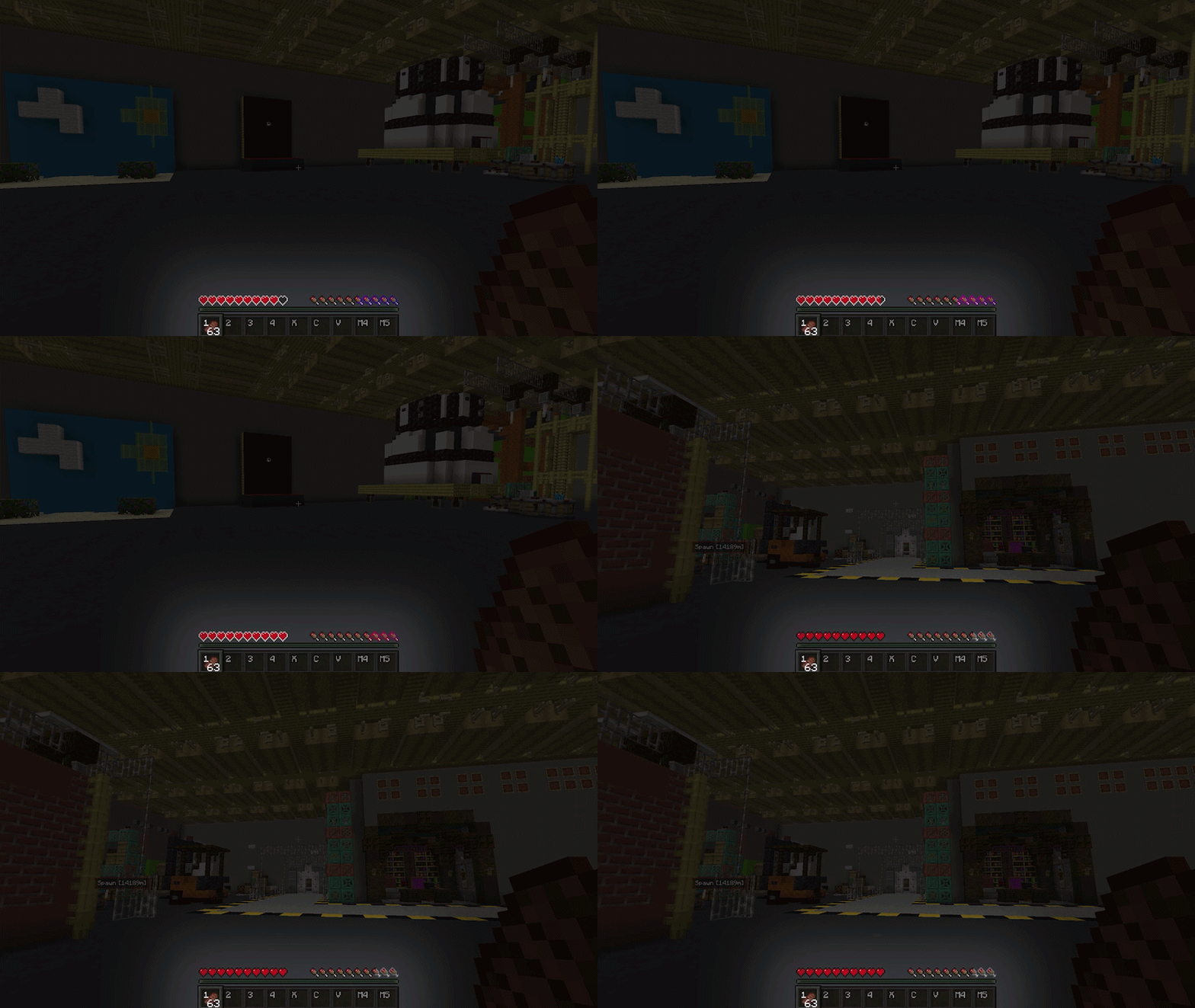
Now, we have just a couple more mod updates left, so let’s go over them super fast. First, our Saturation Mod received an option to allow you to customize the color of the saturation outline. Previously, this just defaulted to the goldish orangeish color that you’re probably familiar with, but now you can customize it to any color of your choice.
Plus, there’s also an inverse mode which will simply invert the color behind the outline making it stand out in any environment.
TierTagger Multiple Sources Support
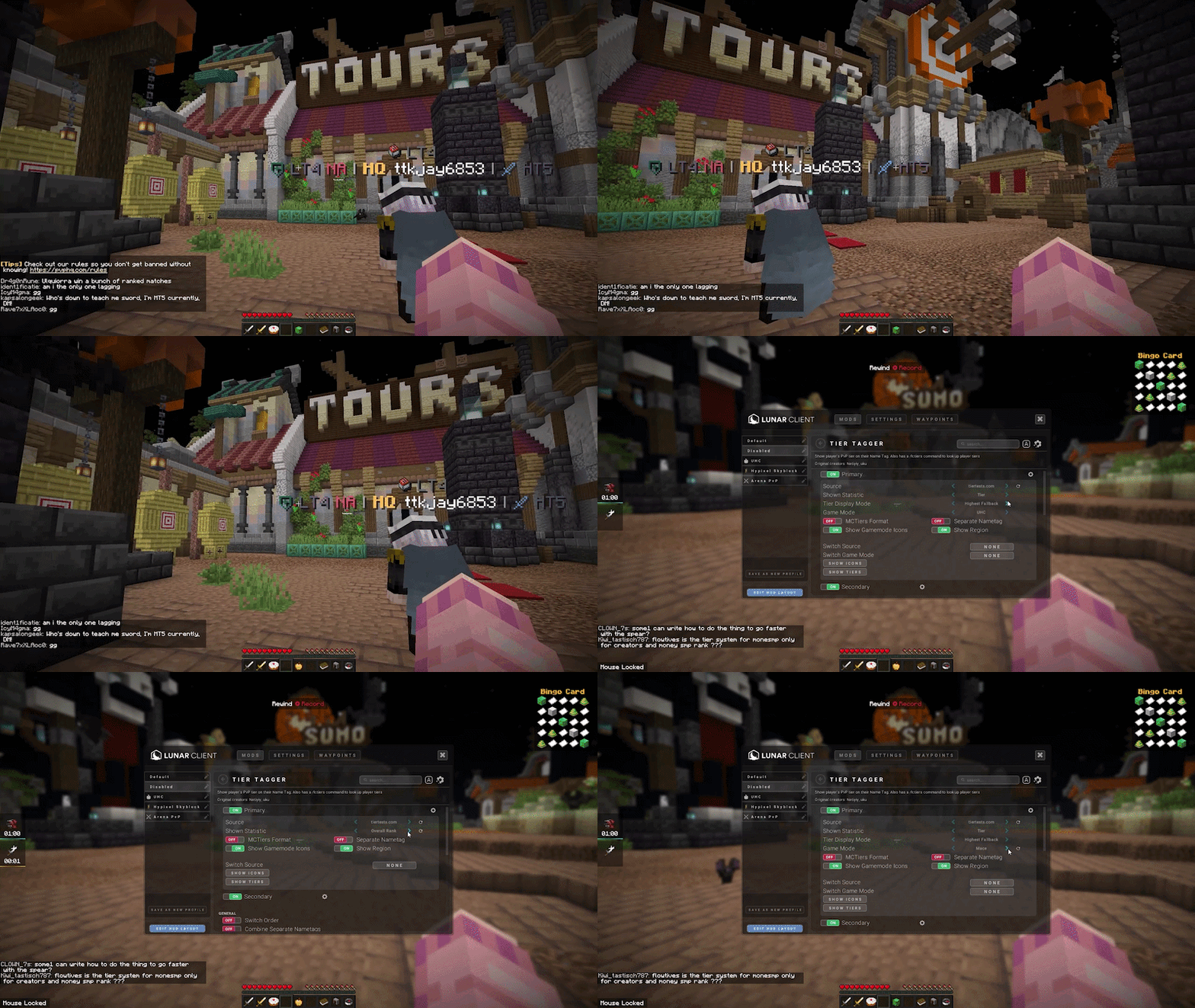
And then our TierTagger mod now has multi source support, with independent Primary and Secondary tier source options, allowing you to better customize the display of tier’s in players nametags. Opening up the mod, you’ll see two separate options for each tier, and you can modify each separately however you’d like, including the source, statistic, game mode, and more.
Depth of Field
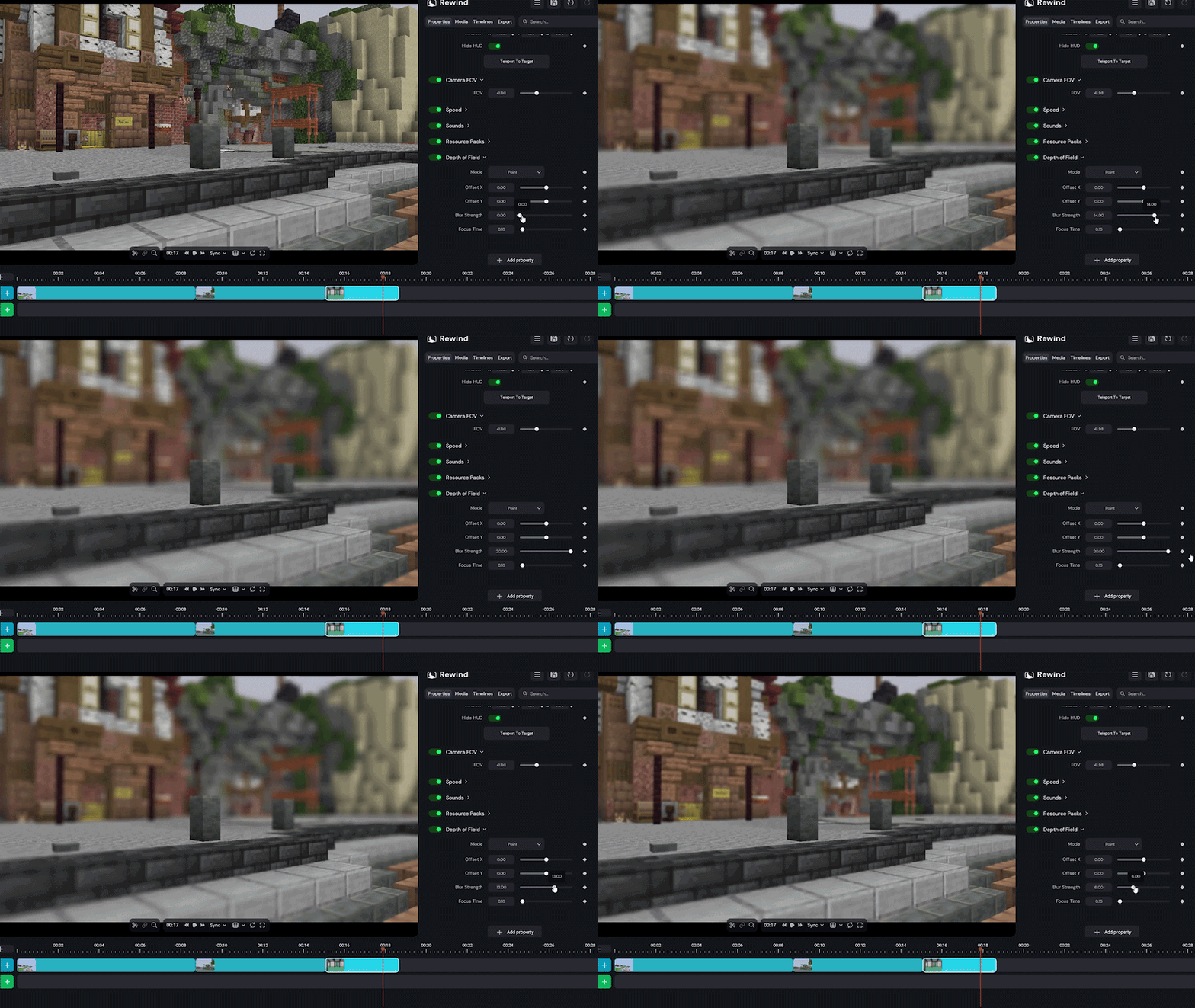
For this month, a long awaited update to our Rewind System now lets you add a Depth of Field effect to any of your recorded clips. This is awesome for making your shots feel more cinematic, while still giving you the control you’d normally expect from Rewind. Adding the option, you’ll have the choice of setting the target to either a point or a player.
With a point selected, you can move the offset around to target exactly what you’re trying to, which uses what you’re camera is looking at as the starting point. You can then choose the strength of the blur itself, as well as how long the camera should take to focus whenever it moves. And of course, setting the target to player will fix the depth of field target to any player that was captured in your rewind, also allowing you to change the strength and focus time.
We’re super excited to be bringing more ways for you to create with Lunar Client, and we can’t wait to show off what we have cooking in the near future.
Resourcepack Loading Optimizations
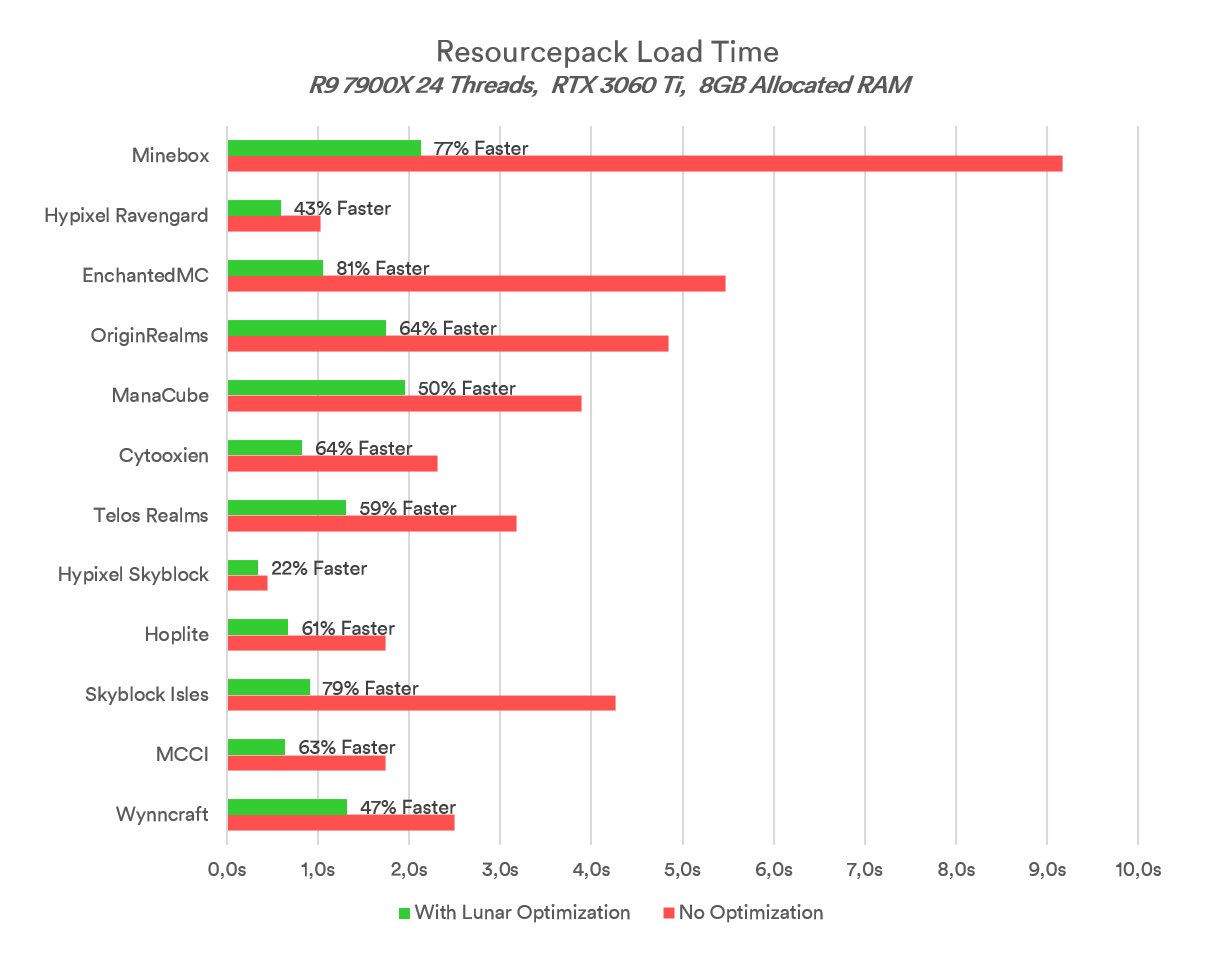
The team made a massive improvement to load times on server’s that use custom resource packs. Here are some of the load times reported by our team of testers, with some servers showing a 77% increase in speed compared to Vanilla. So, if you’ve been struggling to load into some servers that rely on heavy resource packs, we encourage you to hop on with our newest update and give it a try.
Store Preview Packages
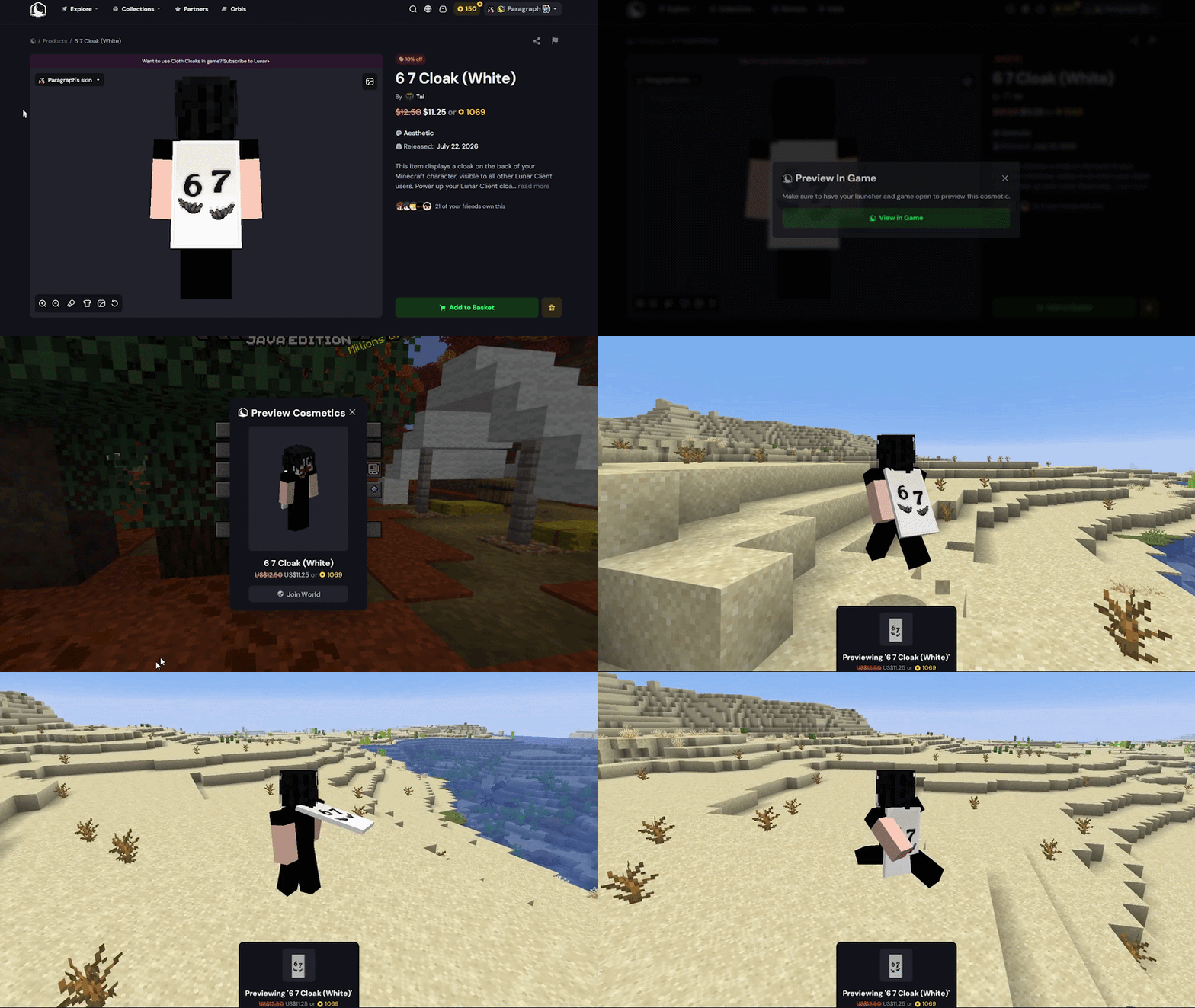
Then heading into our Store updates for this month, we’ve added the ability to preview cosmetics in-game! This is awesome if you’ve ever been browsing the store and wanted to see how a specific cosmetic actually looked in-game before buying it. Just make sure you’ve signed into the store, click the dropdown in the top right of any supported package, click preview in-game, and then just press “Join World” on the modal that appears in-game. From there, you can try out any cosmetic on our store before fully committing to it.
Multiverse Collection & Independent Cloaks
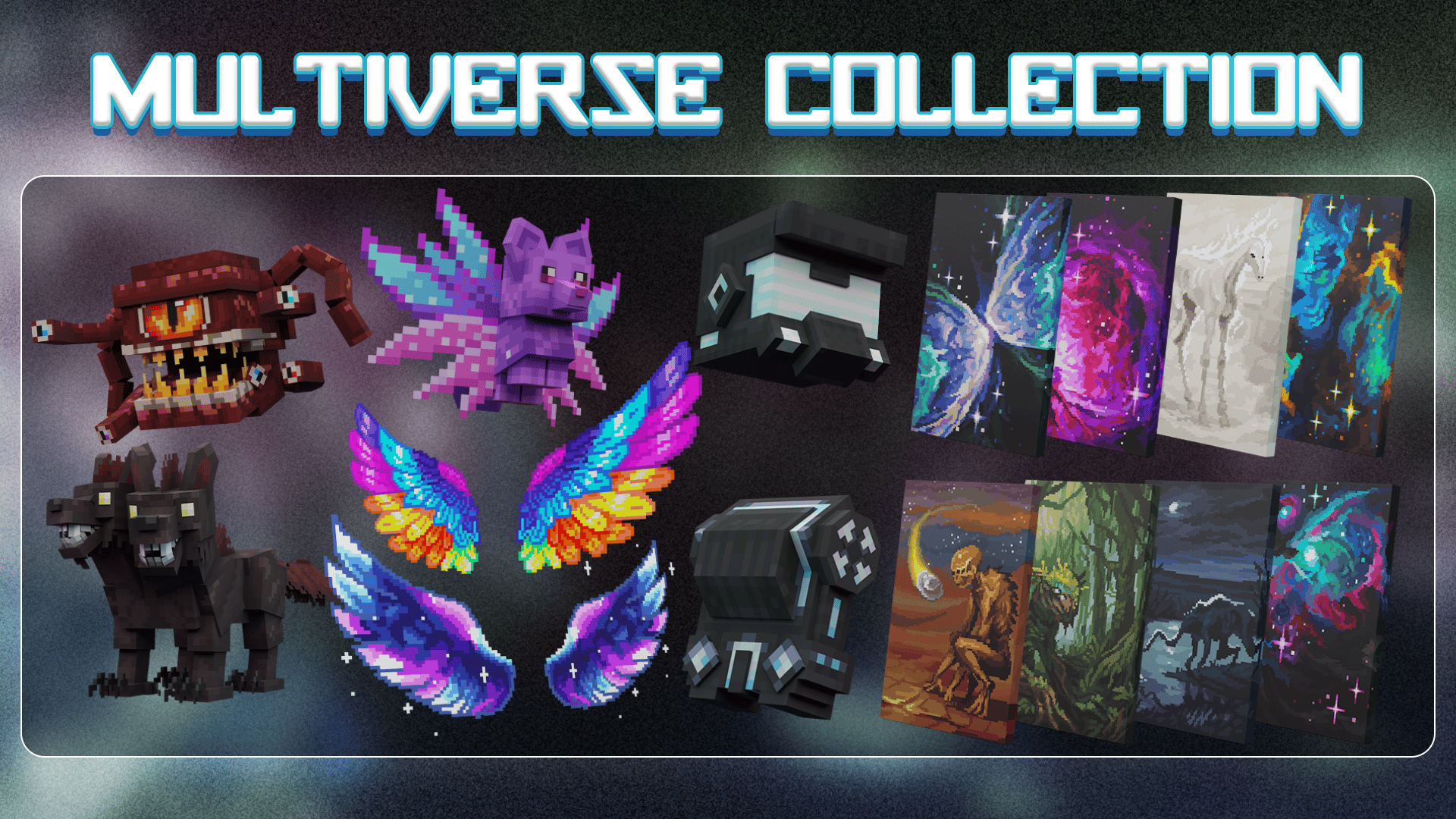
Speaking of committing to cosmetics though, our Multiverse Collection just released this month, featuring 51 different cosmetics. To fierce black and white Lava Tigers, to big scary eye monsters, and even a digital cowboy hat, this collection stretches far beyond our galaxy to bring you the latest and greatest in Lunar Client cosmetics this month.
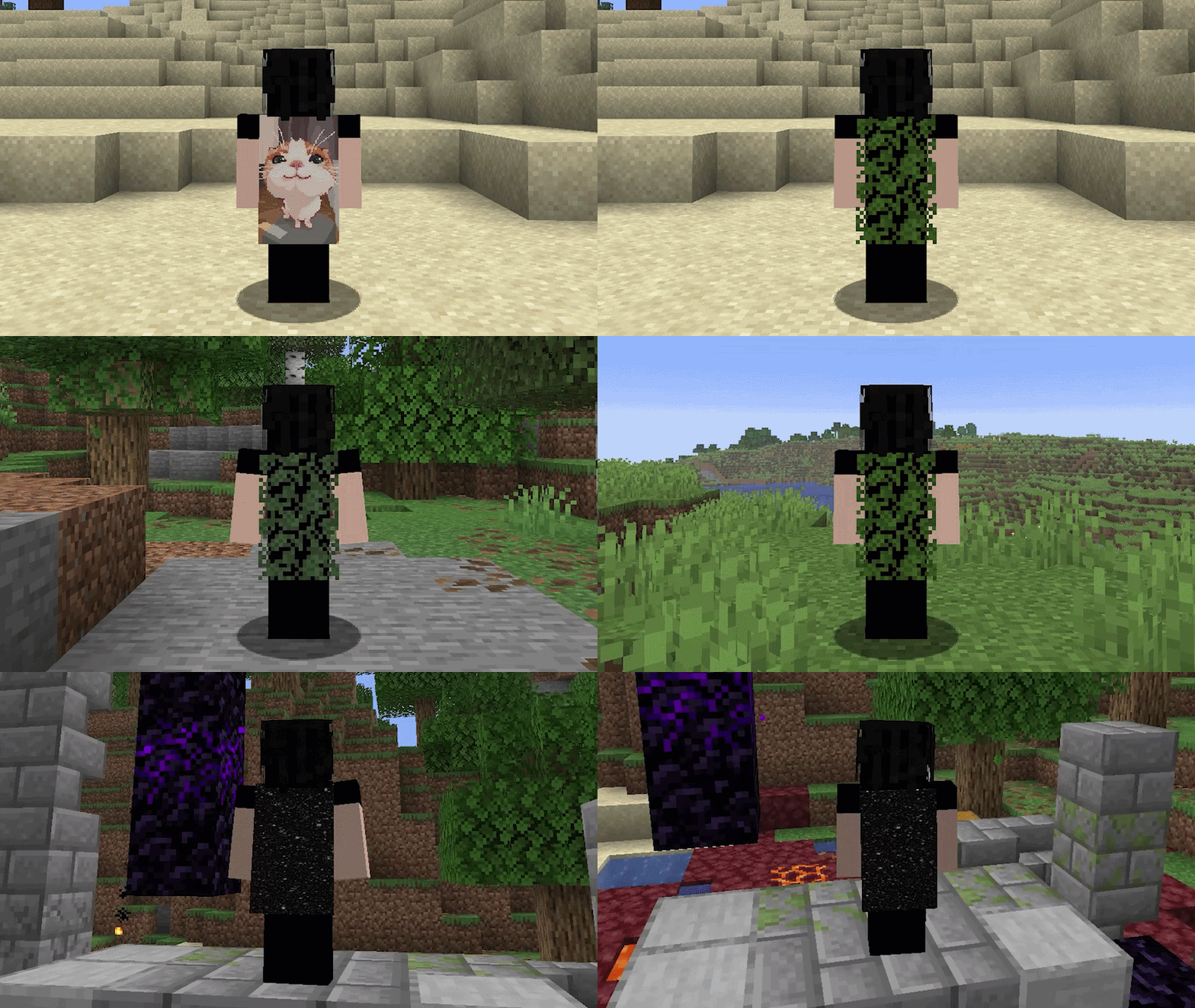
That’s not all though, because the team also released 3 independent cloaks, including this adorable Cat Cloak, a semi-transparent leaves cloak, and our first shader cloak on the store itself! So if any of these cosmetics interest you, be sure to check out our store to pick them up now!
That wraps up our recap of August 2026 on Lunar Client. As always, if you have any questions or are experiencing issues with Lunar Client, create a ticket on our Support Website or join the Lunar Client Discord server! If you are unsure of how to create a ticket, please view the Lunar Client Support Guide.
